Fractal Cloud
2026
Infrastructure without the code
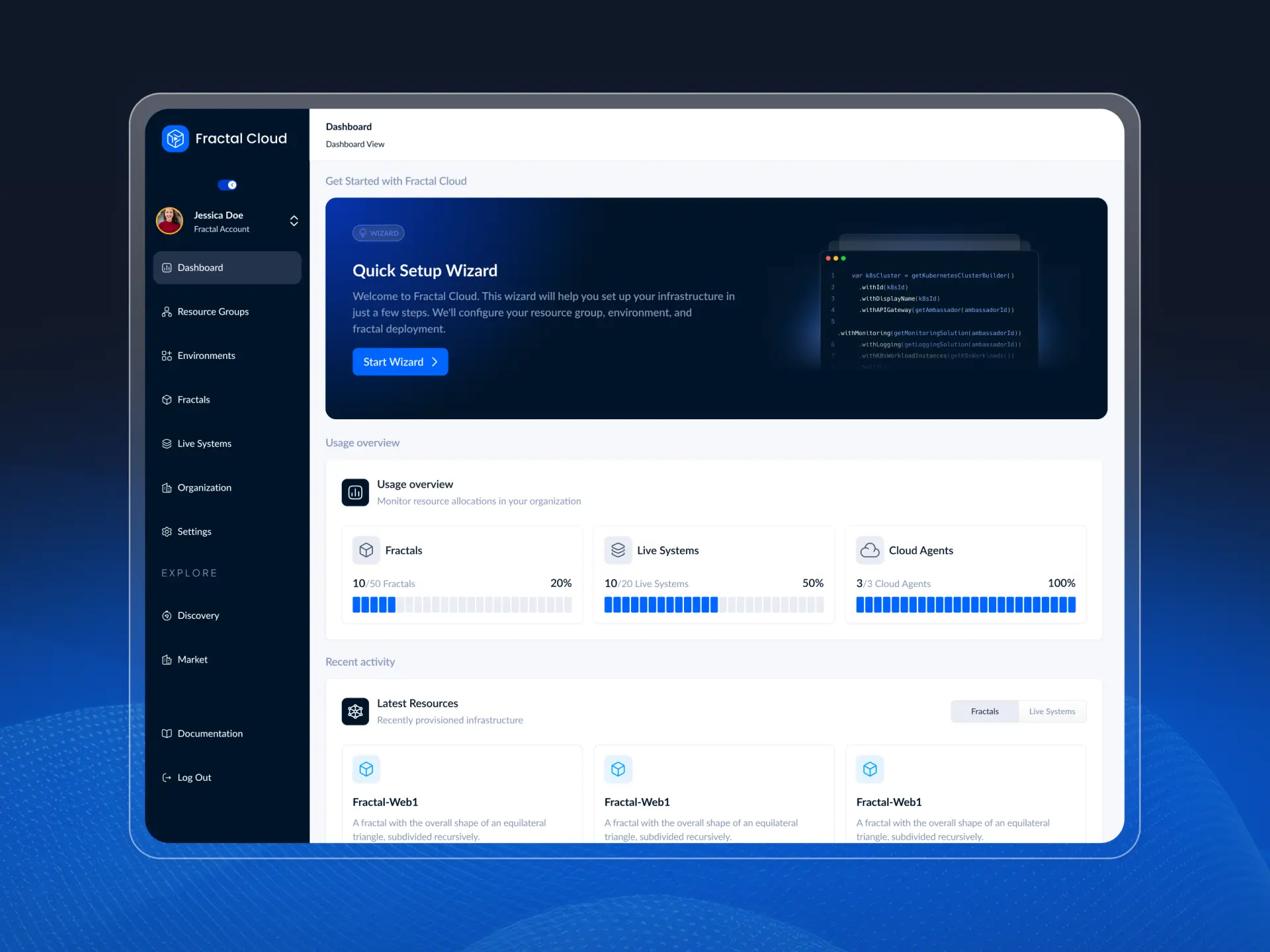
Fractal Cloud lets companies define cloud infrastructure once and deploy it across any cloud provider, with security and compliance built-in. I was responsible for the product design, design system, and brand.
Fractal Cloud lets companies define cloud infrastructure once and deploy it across any cloud provider, with security and compliance built-in. I was responsible for the product design, design system, and brand.
Role
Product Designer
Timeline
2021-2026
Team
Sole Designer
Platform
SaaS Platform
Role
Product Designer
Timeline
2021-2026
Team
Sole Designer
Platform
SaaS Platform
Overview
One definition, every cloud
Fractal Cloud lets companies define cloud infrastructure once and deploy it across any cloud provider, with security and compliance built-in. I was responsible for the product design, design system, and brand.
Fractal Cloud lets companies define cloud infrastructure once and deploy it across any cloud provider, with security and compliance built-in. I was responsible for the product design, design system, and brand.
The Problem
Consistency that became a bottleneck
Infrastructure-as-code (IaC) solved consistency but created a bottleneck. A central platform team became a ticket queue, leaving developers waiting. Under deadline pressure, teams bypassed the official path entirely, quietly eroding governance.
The product's value was real, but it was locked behind code—meaning it could only be sold to experts, rather than the developers who actually needed it.
Infrastructure-as-code (IaC) solved consistency but created a bottleneck. A central platform team became a ticket queue, leaving developers waiting. Under deadline pressure, teams bypassed the official path entirely, quietly eroding governance.
The product's value was real, but it was locked behind code—meaning it could only be sold to experts, rather than the developers who actually needed it.
Decisions
Three decisions that shaped the product
A canvas, not a form
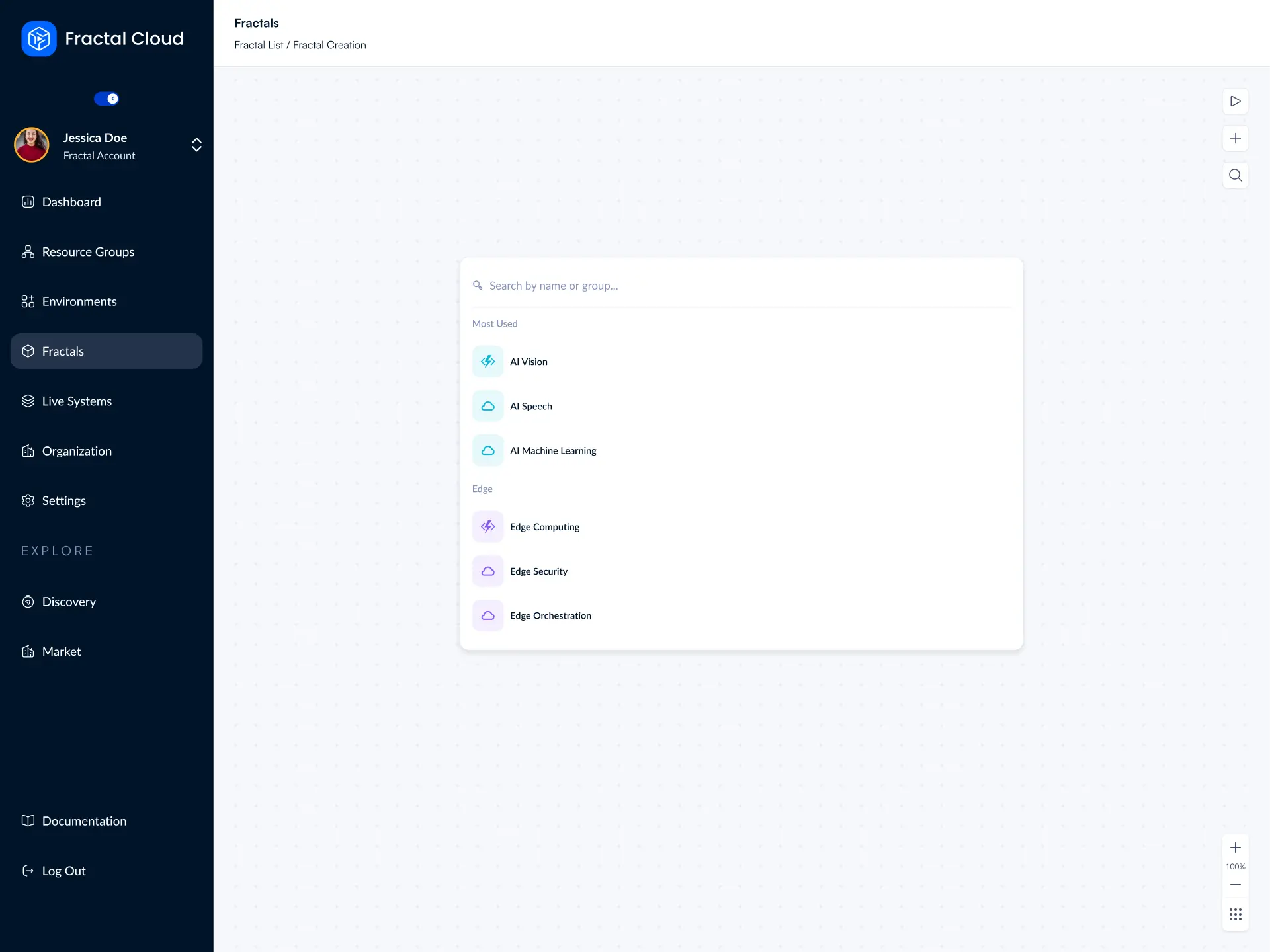
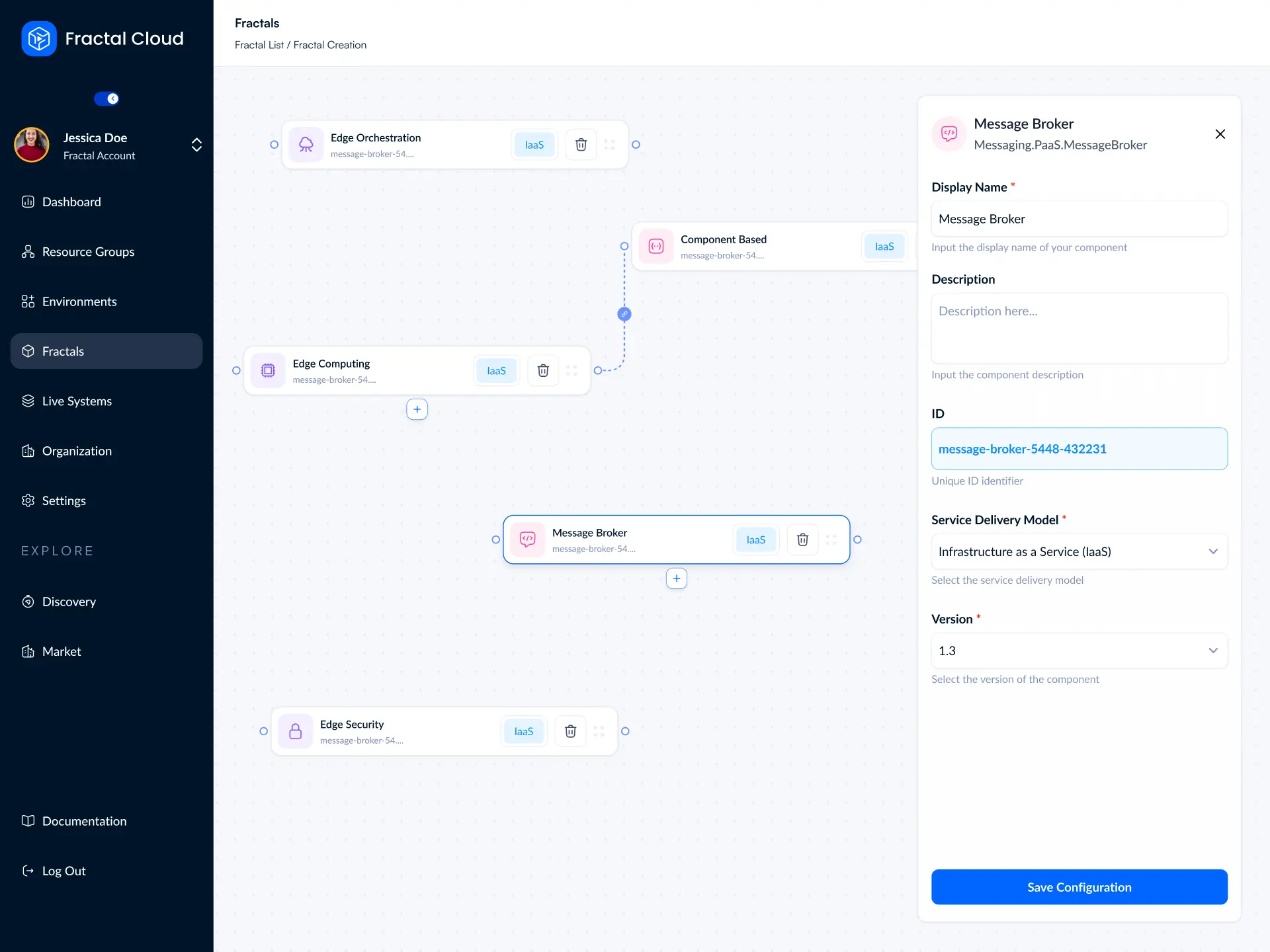
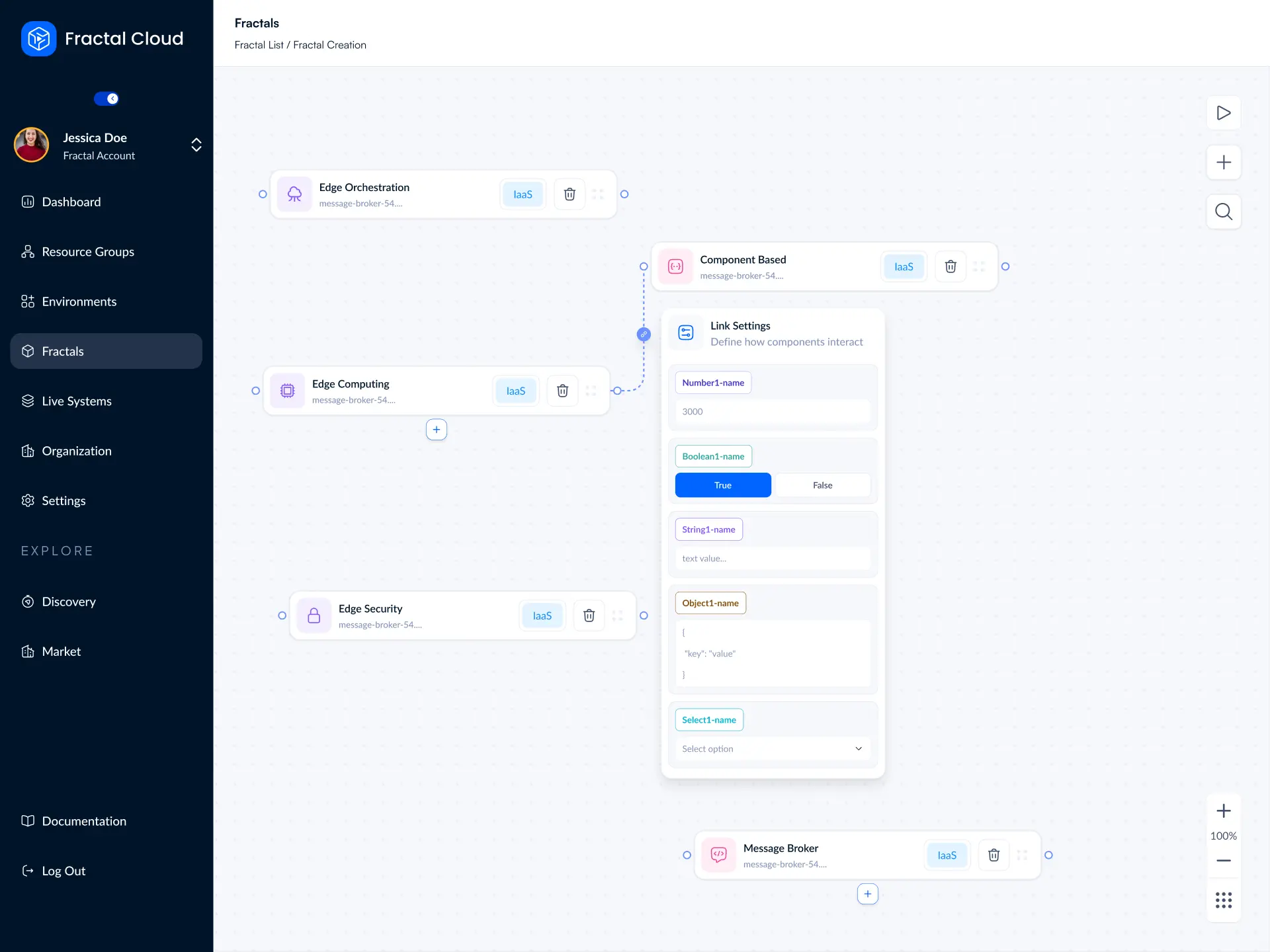
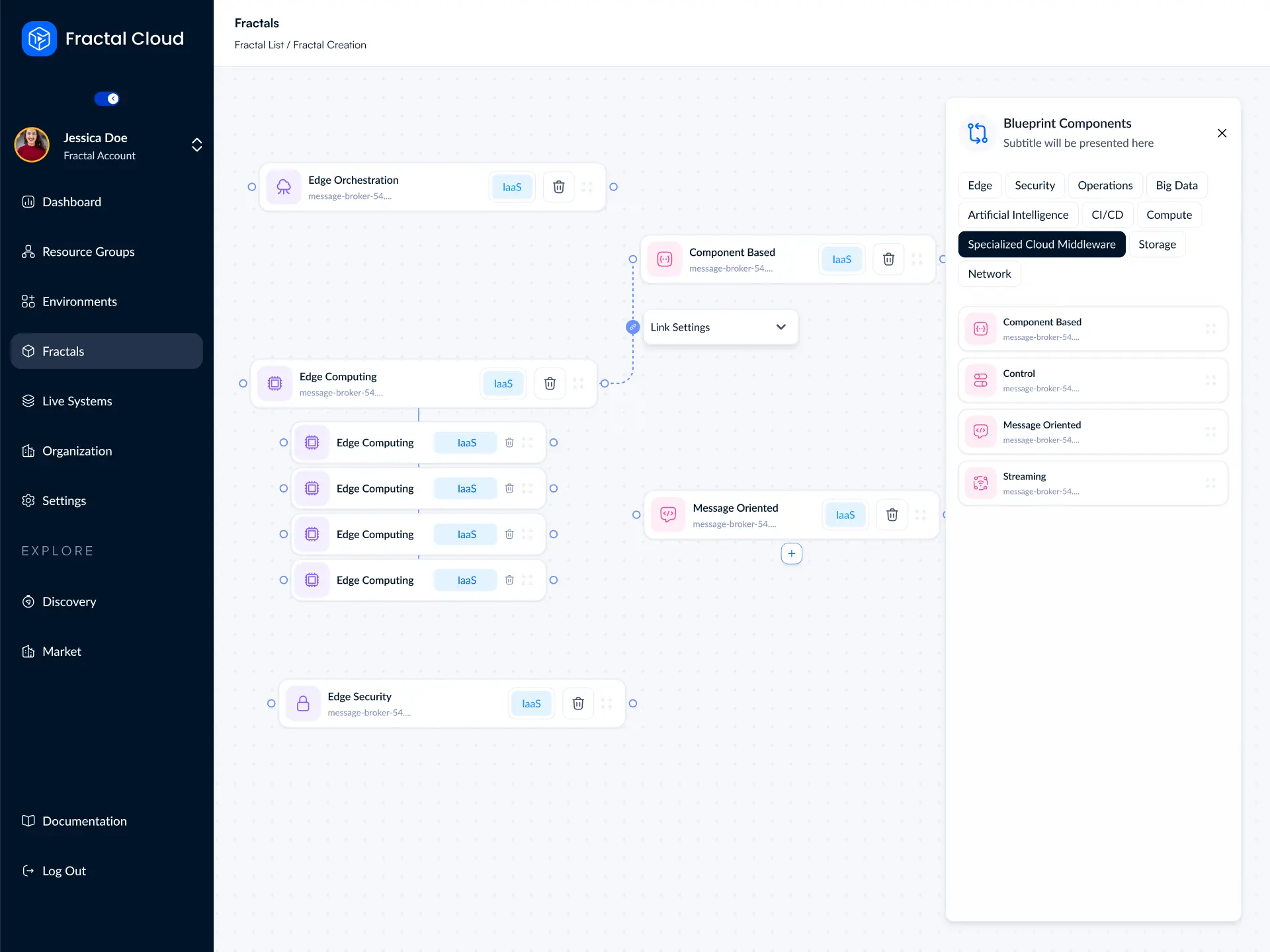
Infrastructure is a graph; topology matters. A form hides relationships, but a node editor shows them. I accepted the learning curve of a canvas and paired it with a domain-grouped component library and quick search to make it easy to learn.
Infrastructure is a graph; topology matters. A form hides relationships, but a node editor shows them. I accepted the learning curve of a canvas and paired it with a domain-grouped component library and quick search to make it easy to learn.
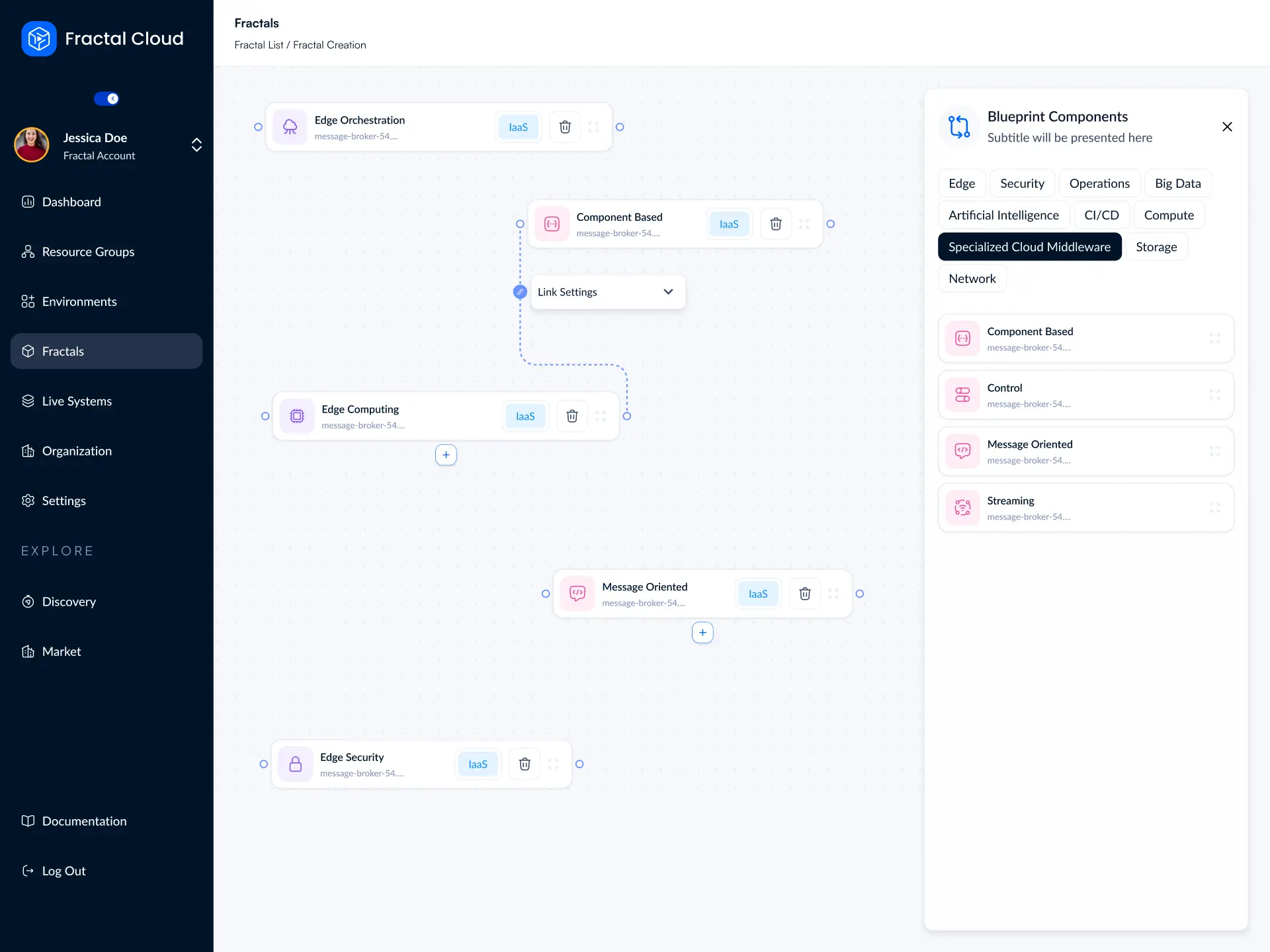
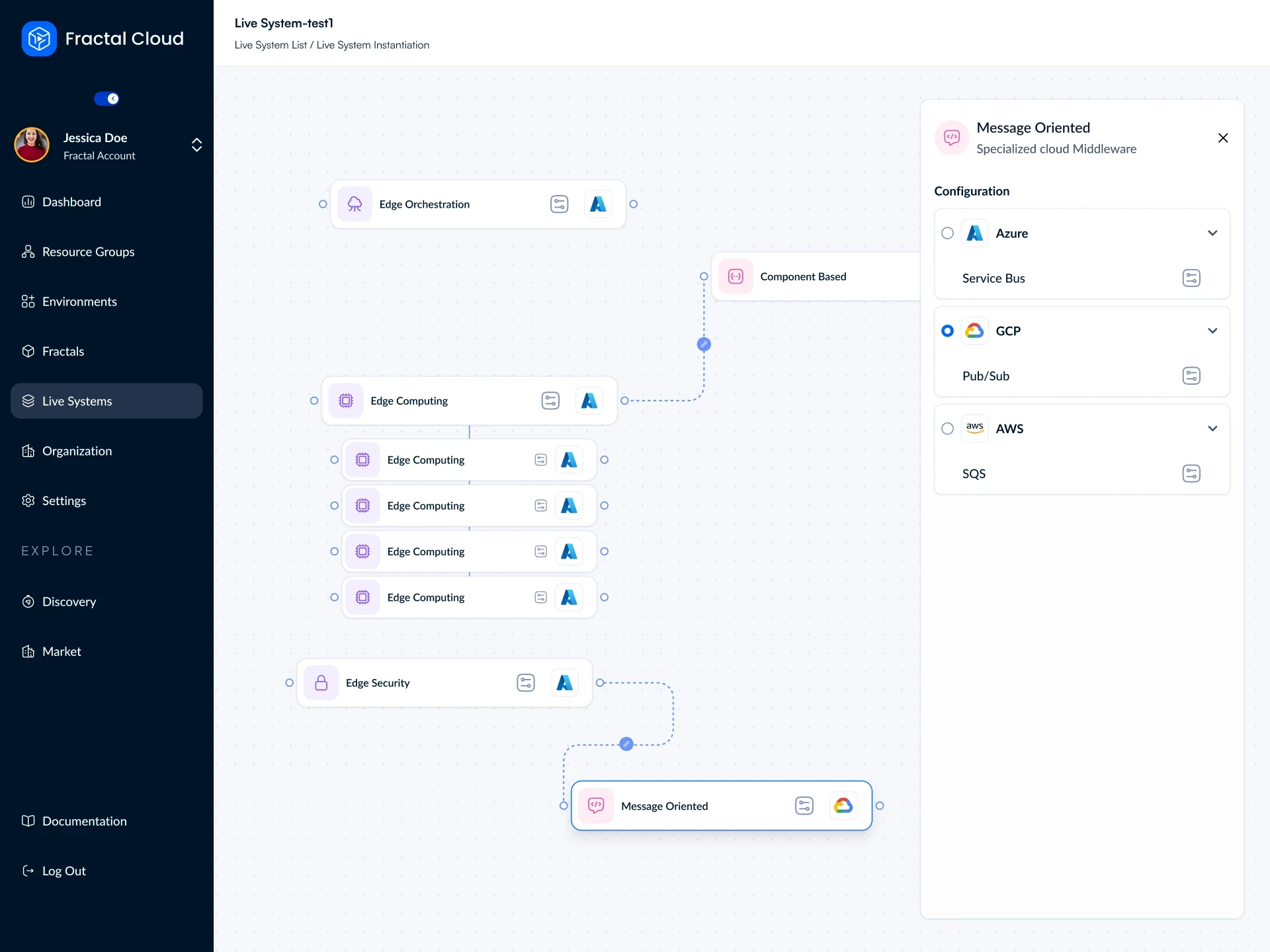
Every component on the canvas shows its service model, such as IaaS or PaaS, and can be changed in place. Repeated components stack under their parent, so a Fractal with several compute nodes stays readable.
Every component on the canvas shows its service model, such as IaaS or PaaS, and can be changed in place. Repeated components stack under their parent, so a Fractal with several compute nodes stays readable.
One object, two experiences
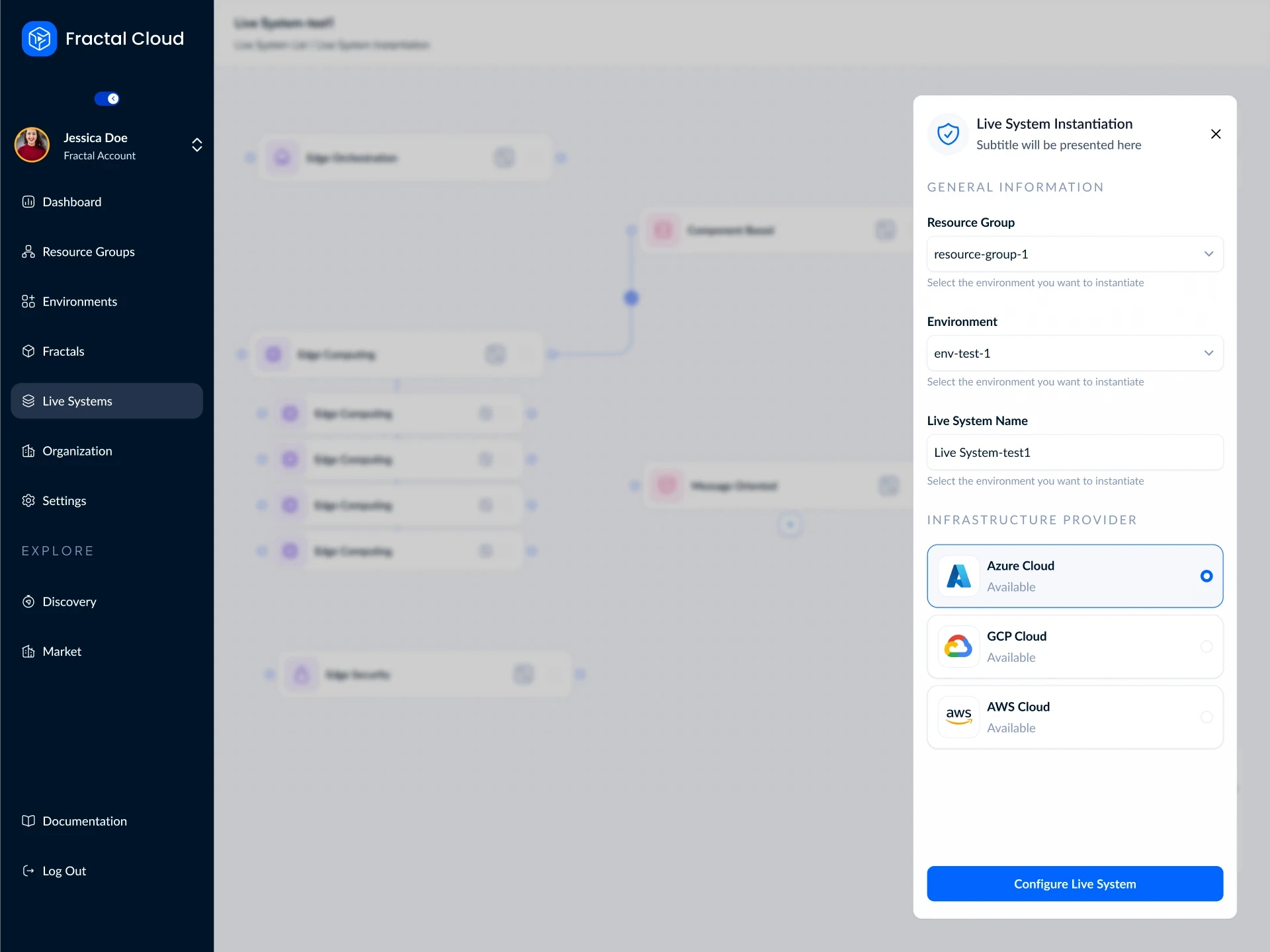
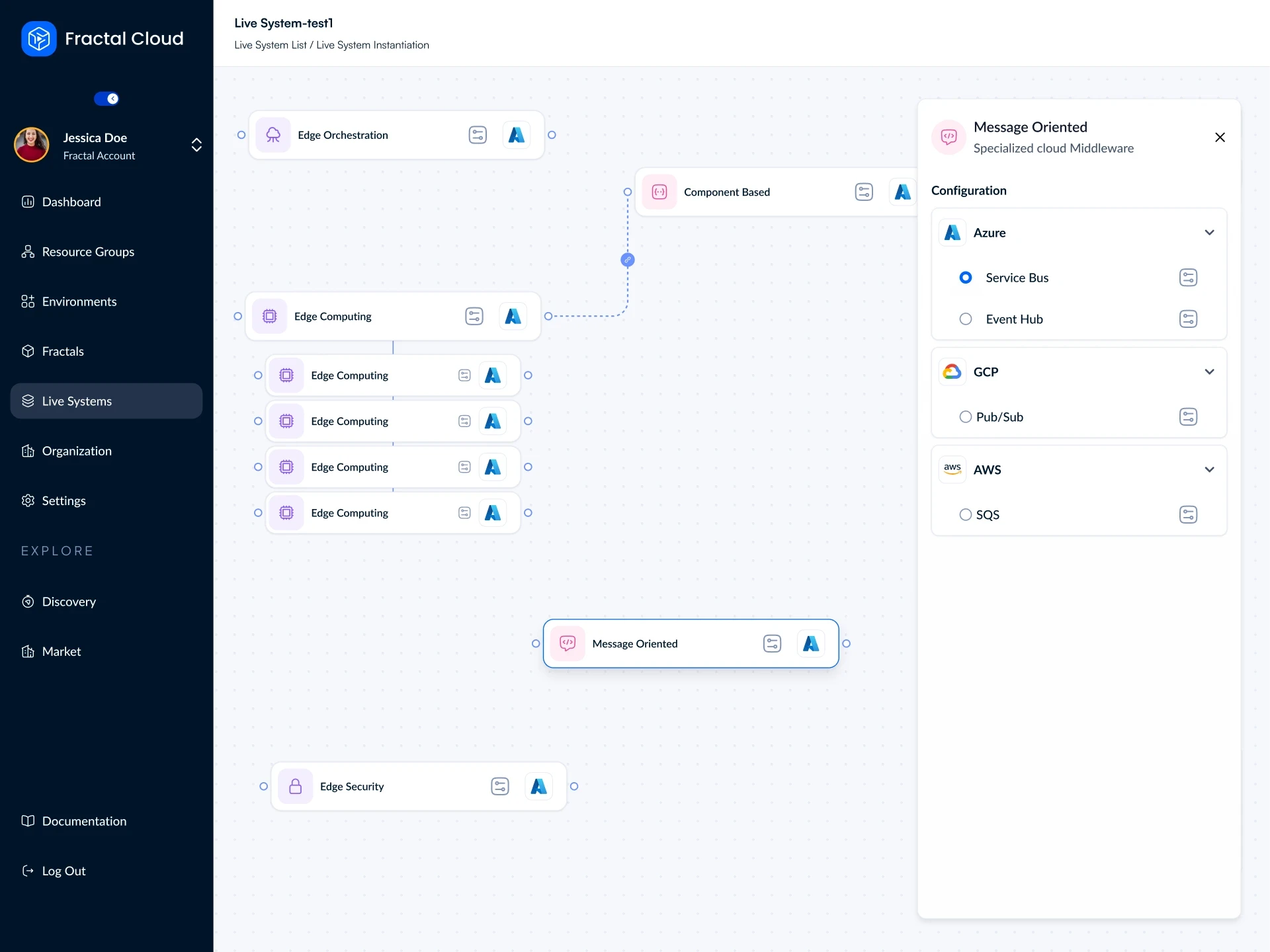
Platform engineers need full composition; developers deploying the infrastructure just need a button. Rather than building two products, I made the Fractal’s permitted operations the variable. When deploying a Live System, the graph dims and locks. The user is only asked for a resource group, environment, name, and provider.
Platform engineers need full composition; developers deploying the infrastructure just need a button. Rather than building two products, I made the Fractal’s permitted operations the variable. When deploying a Live System, the graph dims and locks. The user is only asked for a resource group, environment, name, and provider.

Multi-cloud by design
What makes "define once" work is a hierarchy beneath every component. An abstract component (like a container platform) breaks down into service models, which map to real offers from each provider (e.g., ECS on AWS, Cloud Run on GCP). A Live System can easily run one component on GCP while the rest runs on Azure.
What makes "define once" work is a hierarchy beneath every component. An abstract component (like a container platform) breaks down into service models, which map to real offers from each provider (e.g., ECS on AWS, Cloud Run on GCP). A Live System can easily run one component on GCP while the rest runs on Azure.
Platform
Everything around the canvas
The editor is only useful if teams can organise, share and control what they build. I designed the rest of the platform with the same components and tokens as the editor.
The editor is only useful if teams can organise, share and control what they build. I designed the rest of the platform with the same components and tokens as the editor.
Resource groups
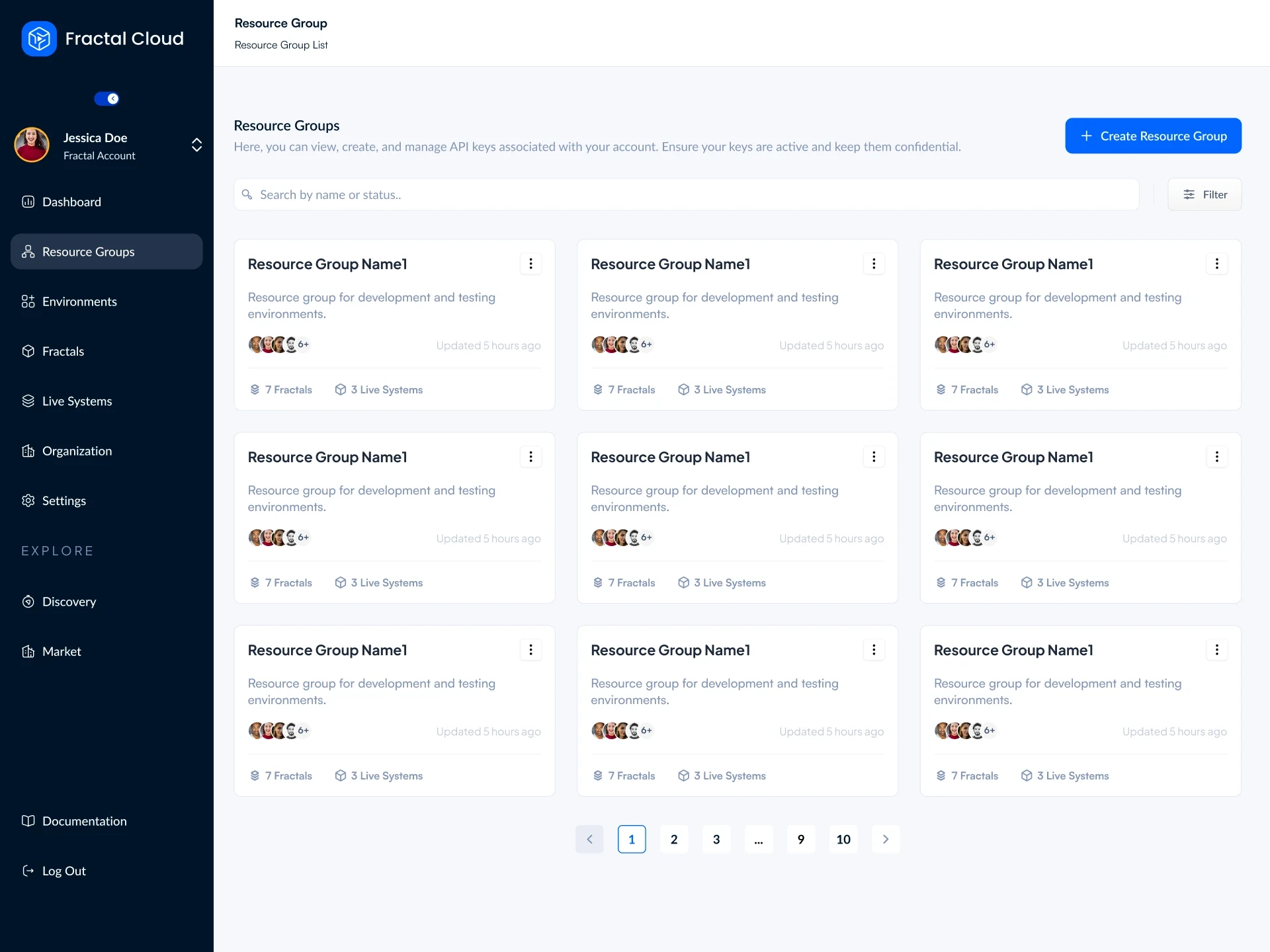
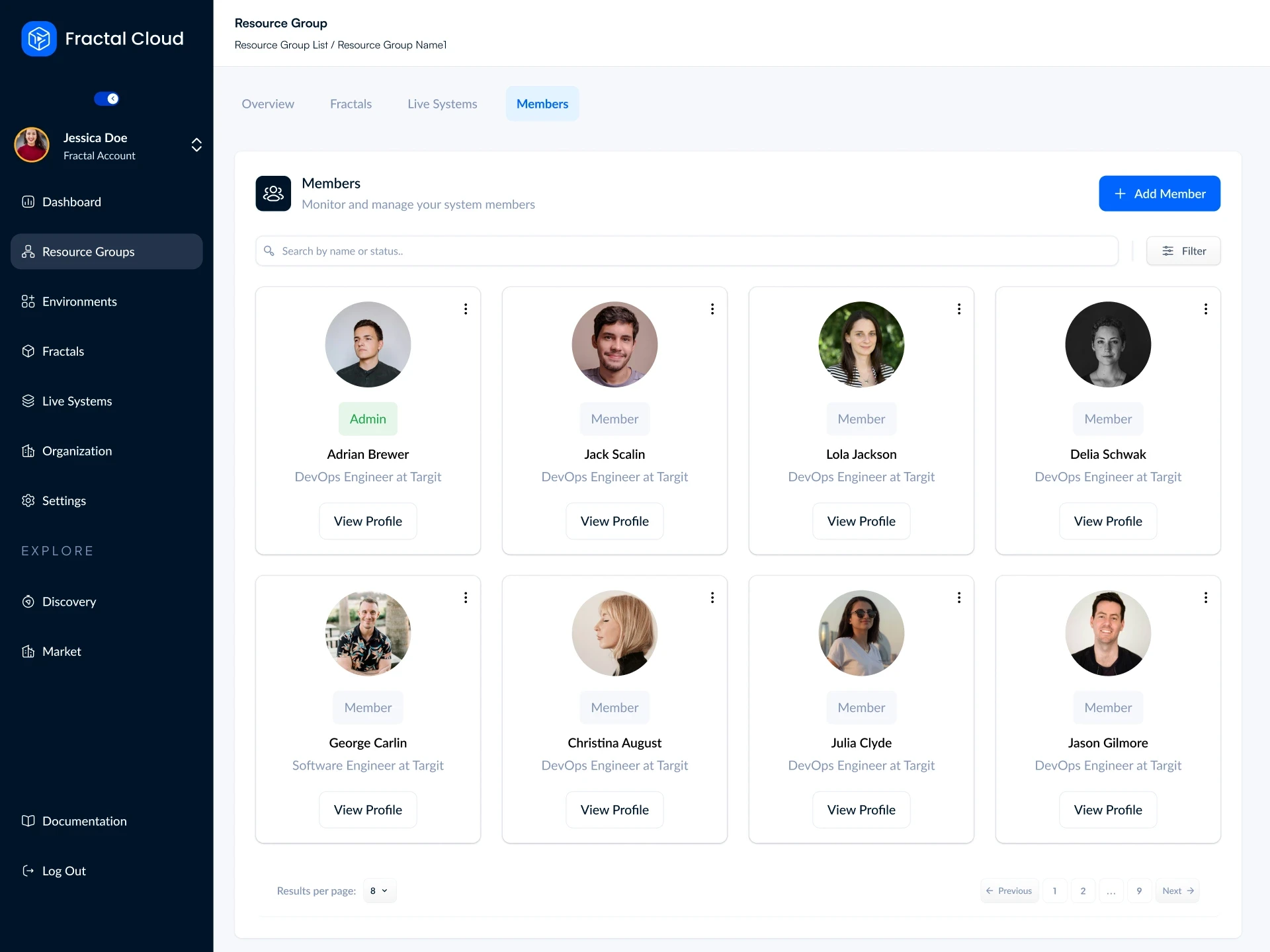
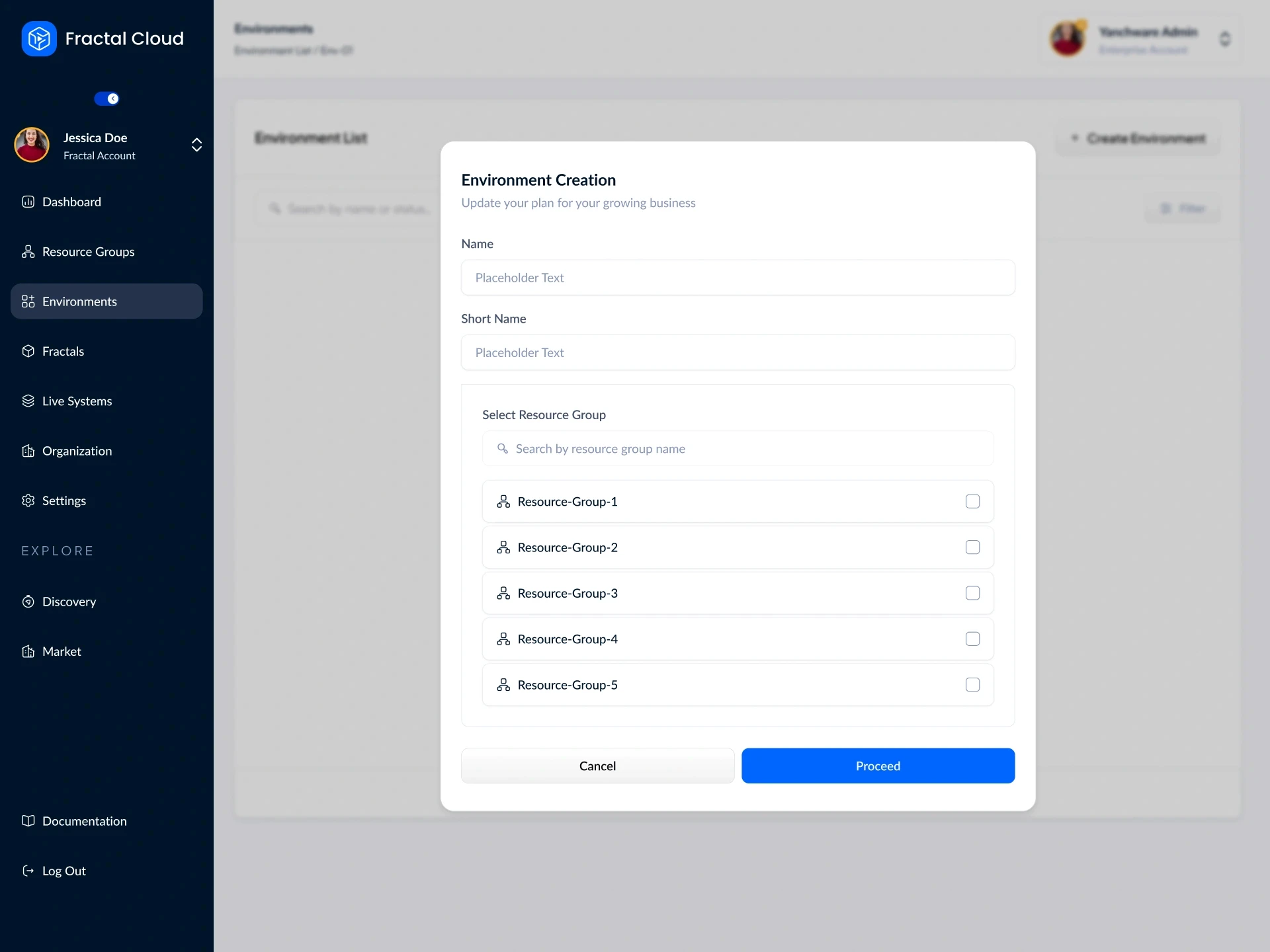
A team's space. Creating one means naming it and assigning member roles. Its overview shows plan usage, recent activity, and counts of all Fractals, Live Systems, and cloud agents within it.
A team's space. Creating one means naming it and assigning member roles. Its overview shows plan usage, recent activity, and counts of all Fractals, Live Systems, and cloud agents within it.
Environments
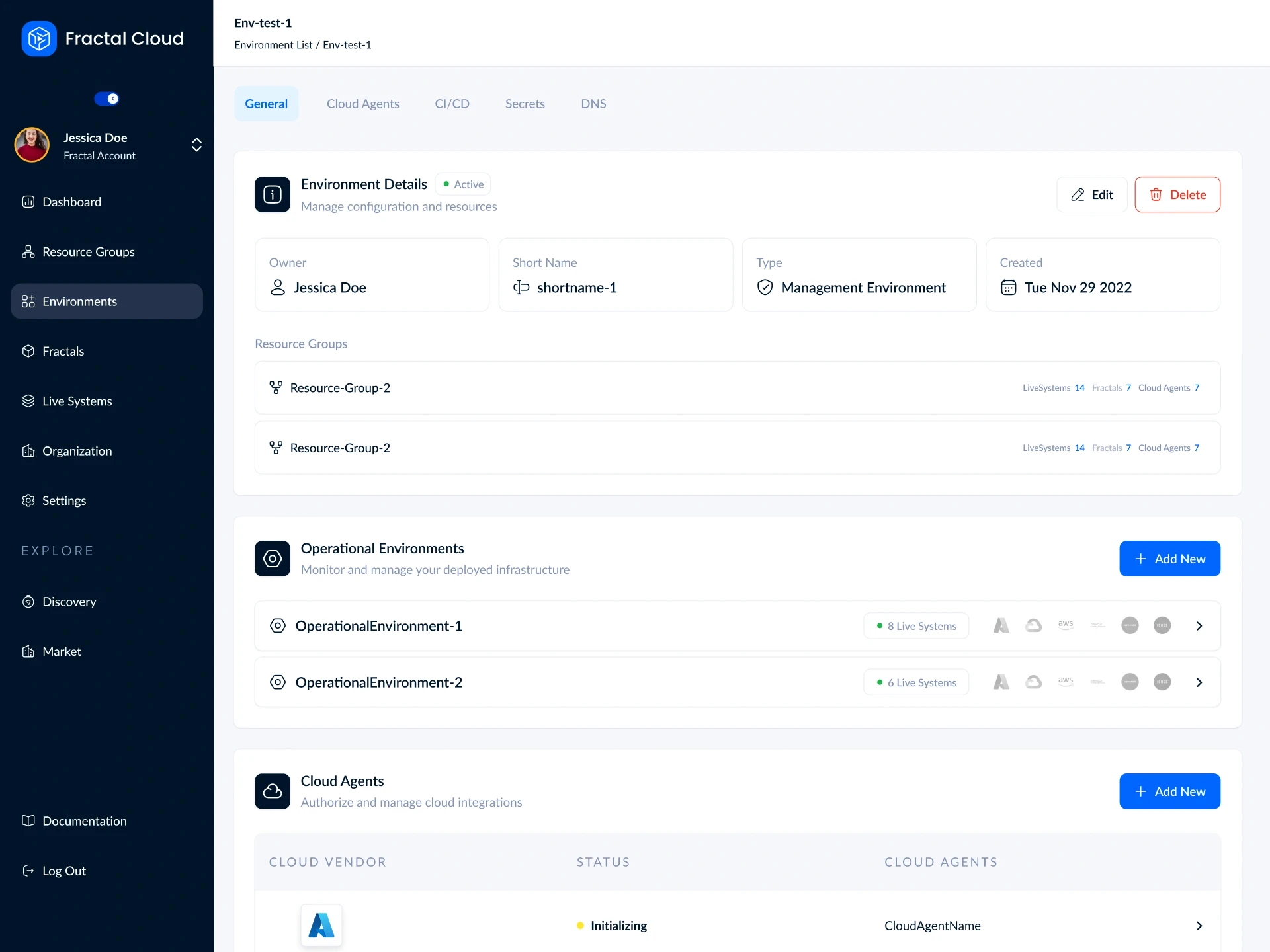
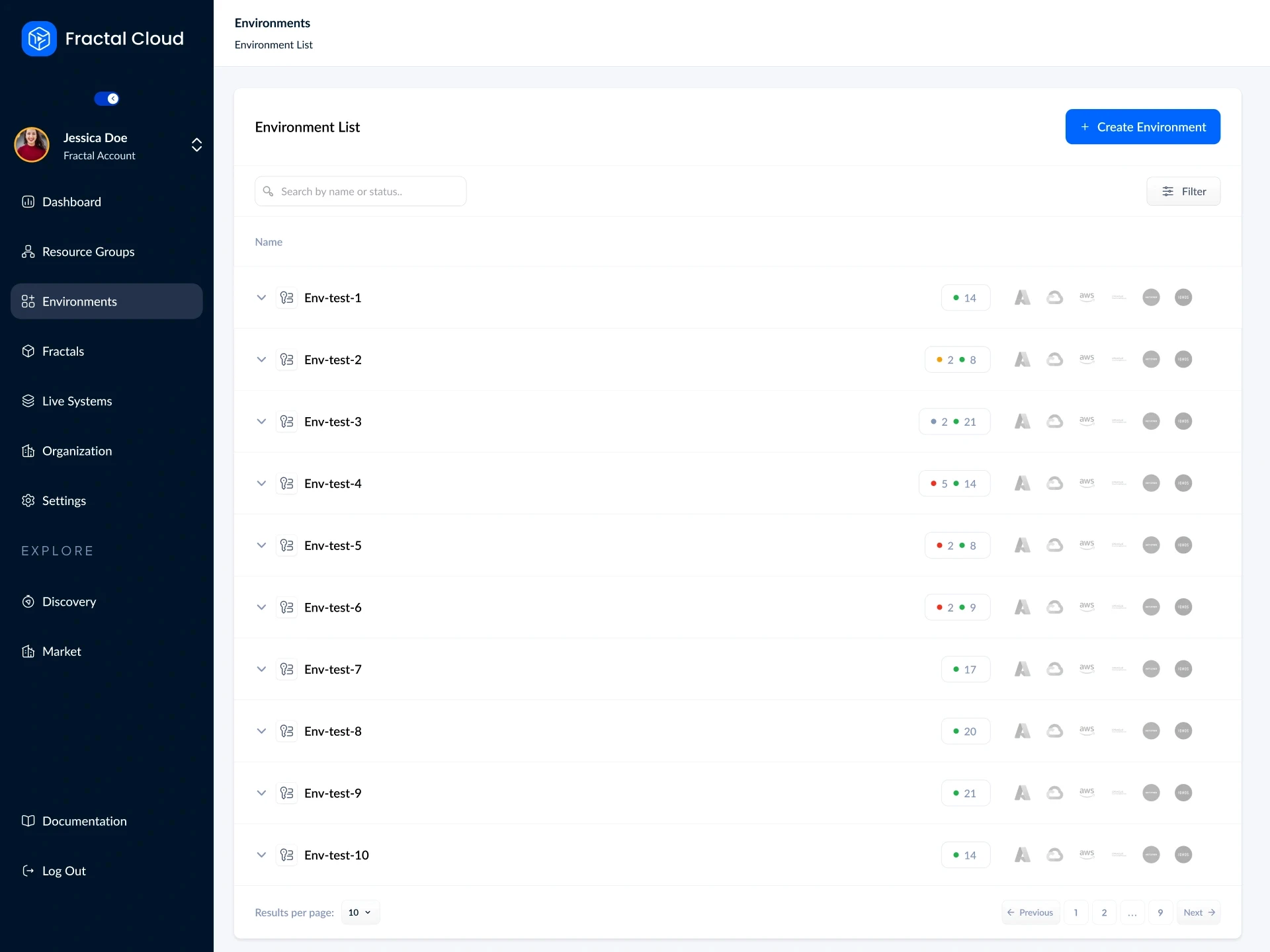
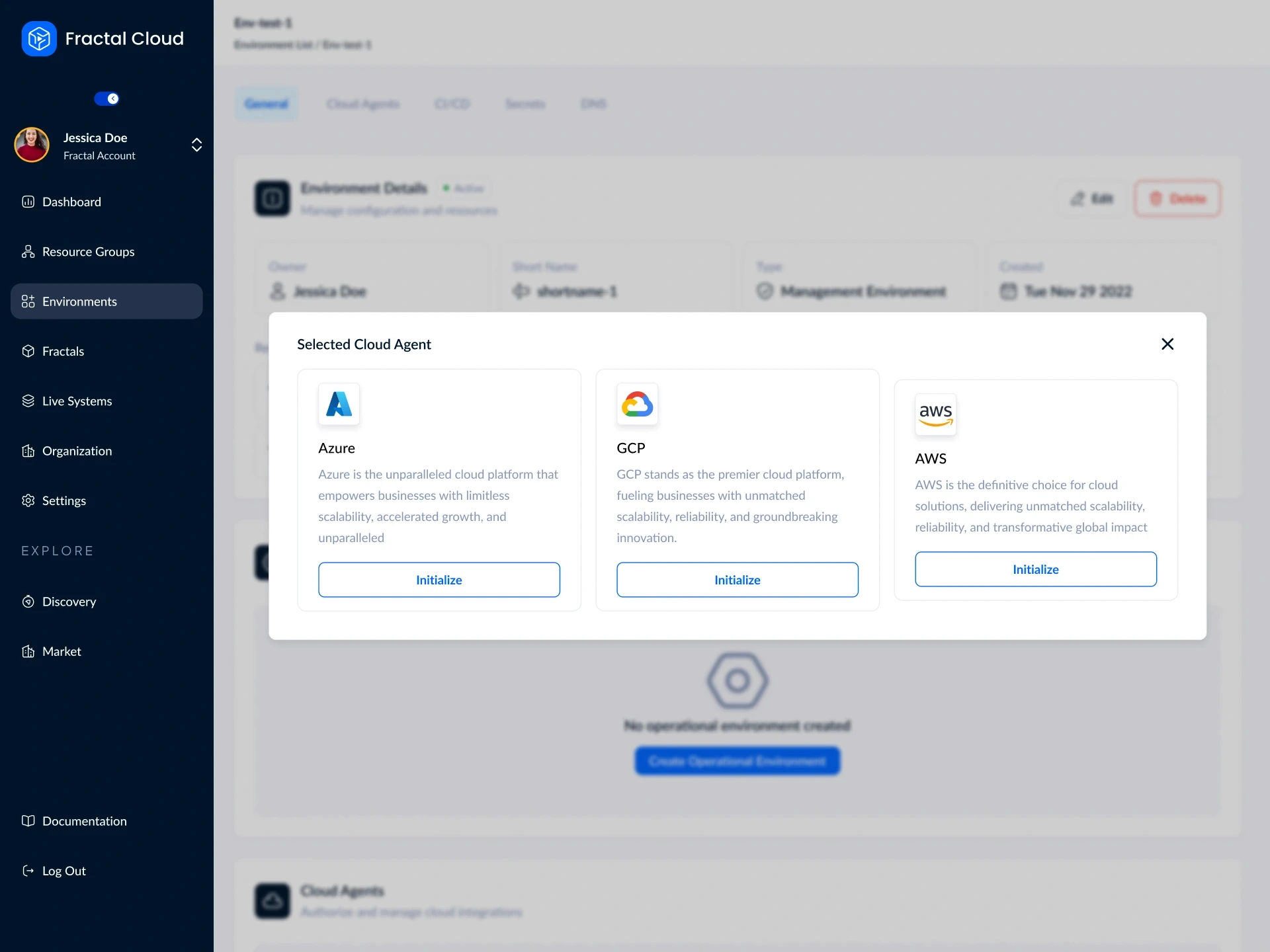
Connected cloud accounts. Users manage their cloud agents here and can view exactly which Live Systems are running in each environment.
Connected cloud accounts. Users manage their cloud agents here and can view exactly which Live Systems are running in each environment.
Fractals
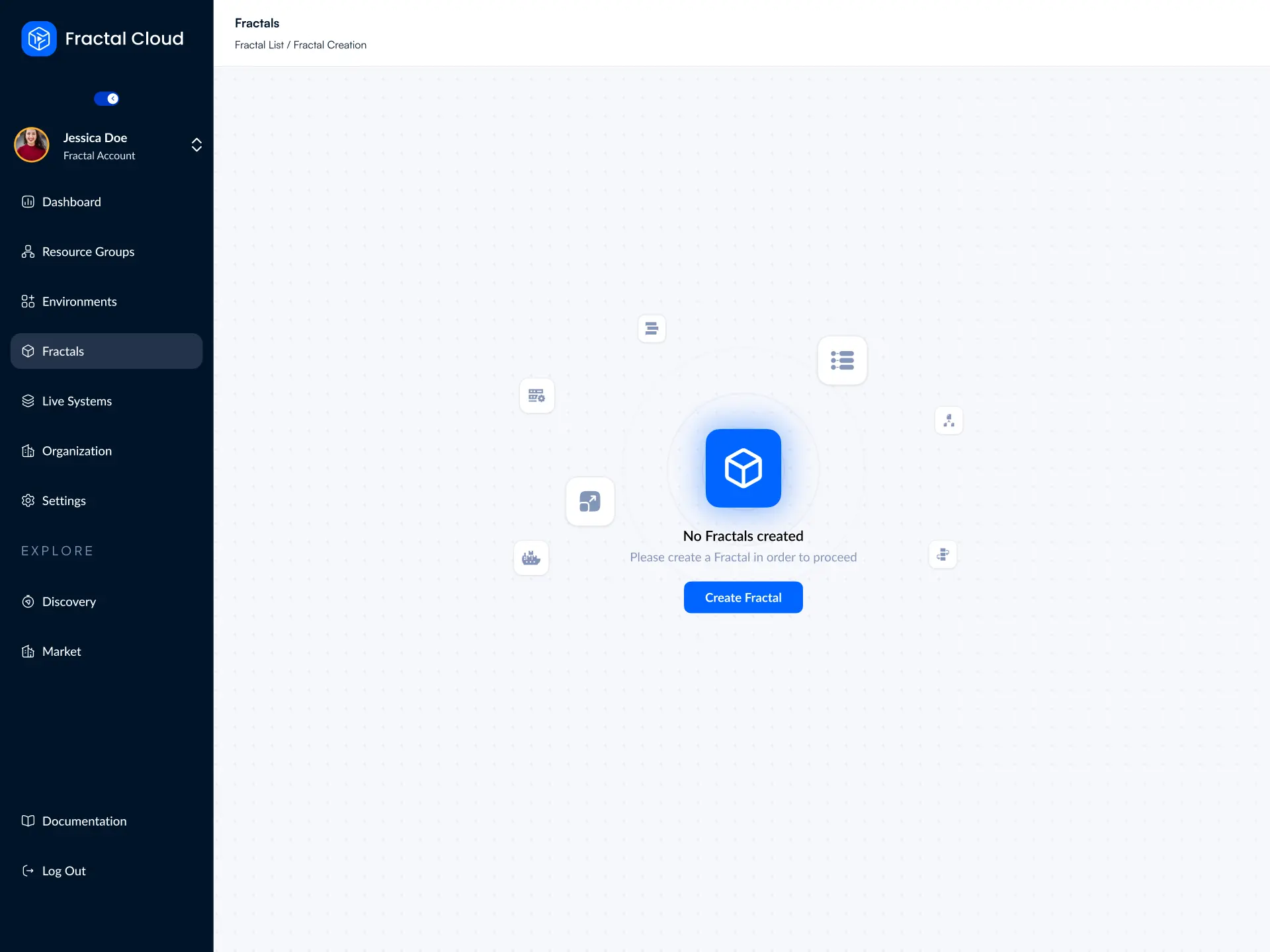
The reusable, versioned blueprints. Teams can manage versions, view trust signals (verified, production-ready, or with issues), and organize their infrastructure building blocks.
The reusable, versioned blueprints. Teams can manage versions, view trust signals (verified, production-ready, or with issues), and organize their infrastructure building blocks.
Live Systems
The running infrastructure. Users can monitor real-time deployment states, audit mutation history, and track component statuses across all environments.
The running infrastructure. Users can monitor real-time deployment states, audit mutation history, and track component statuses across all environments.

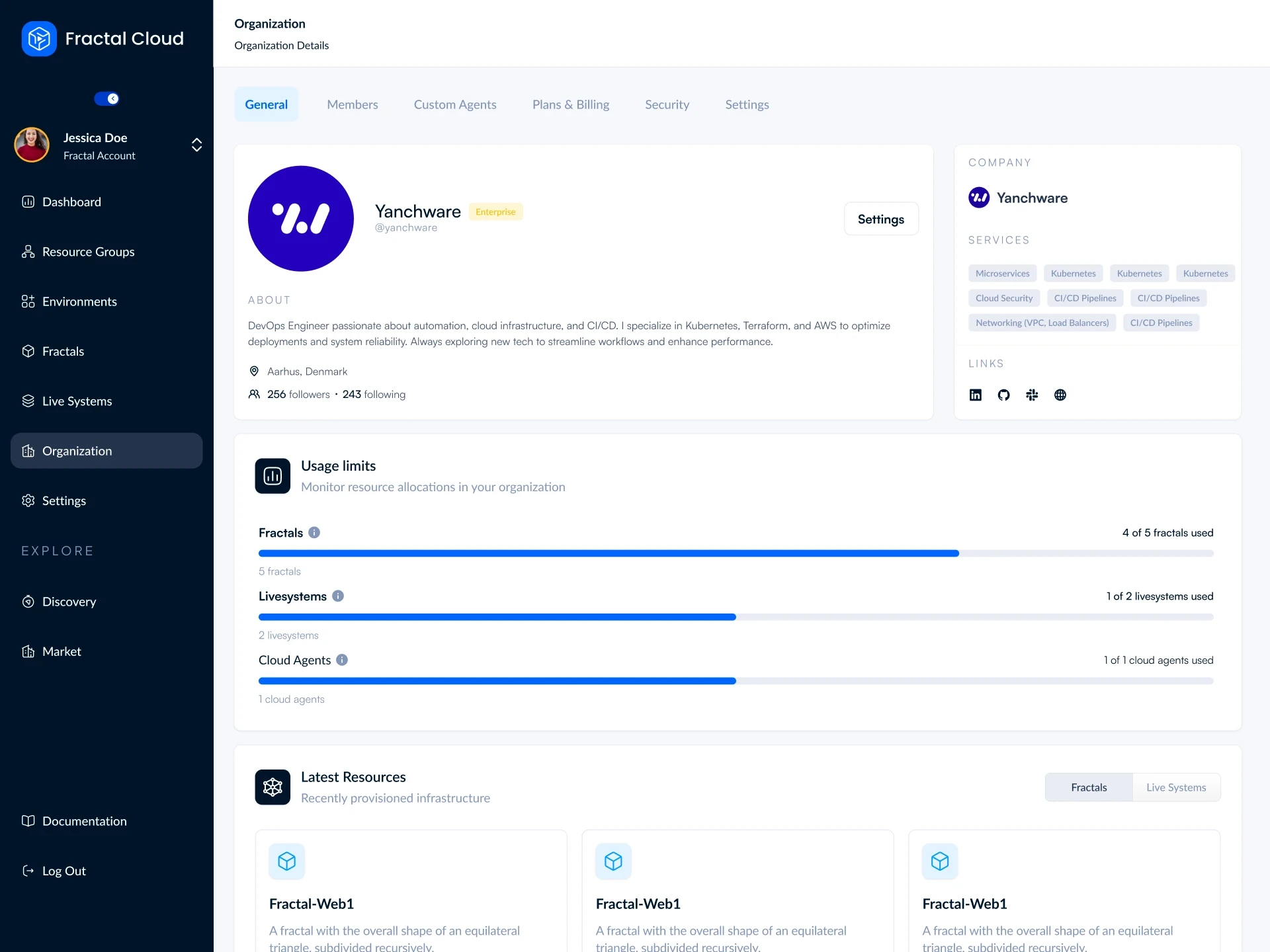
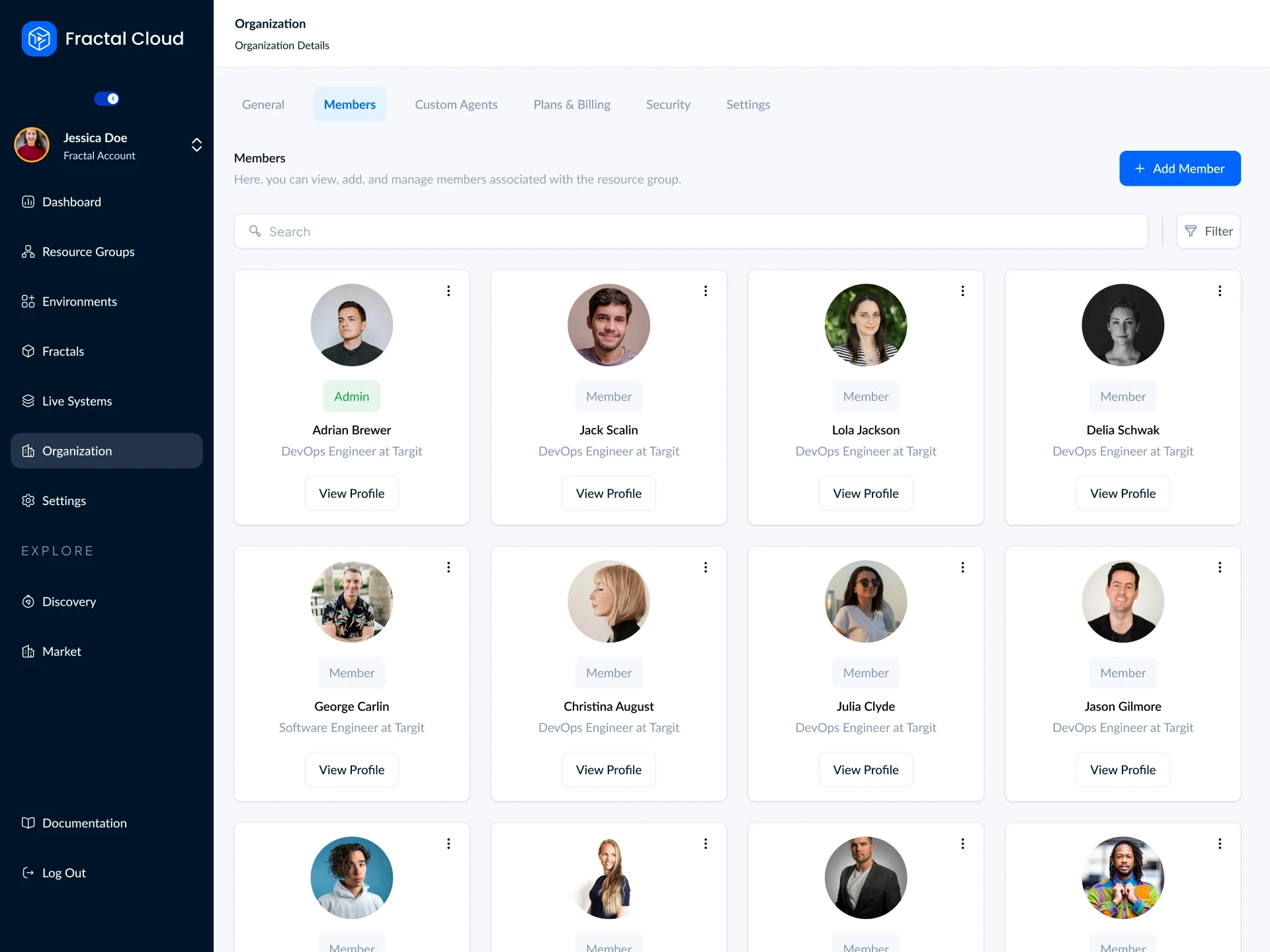
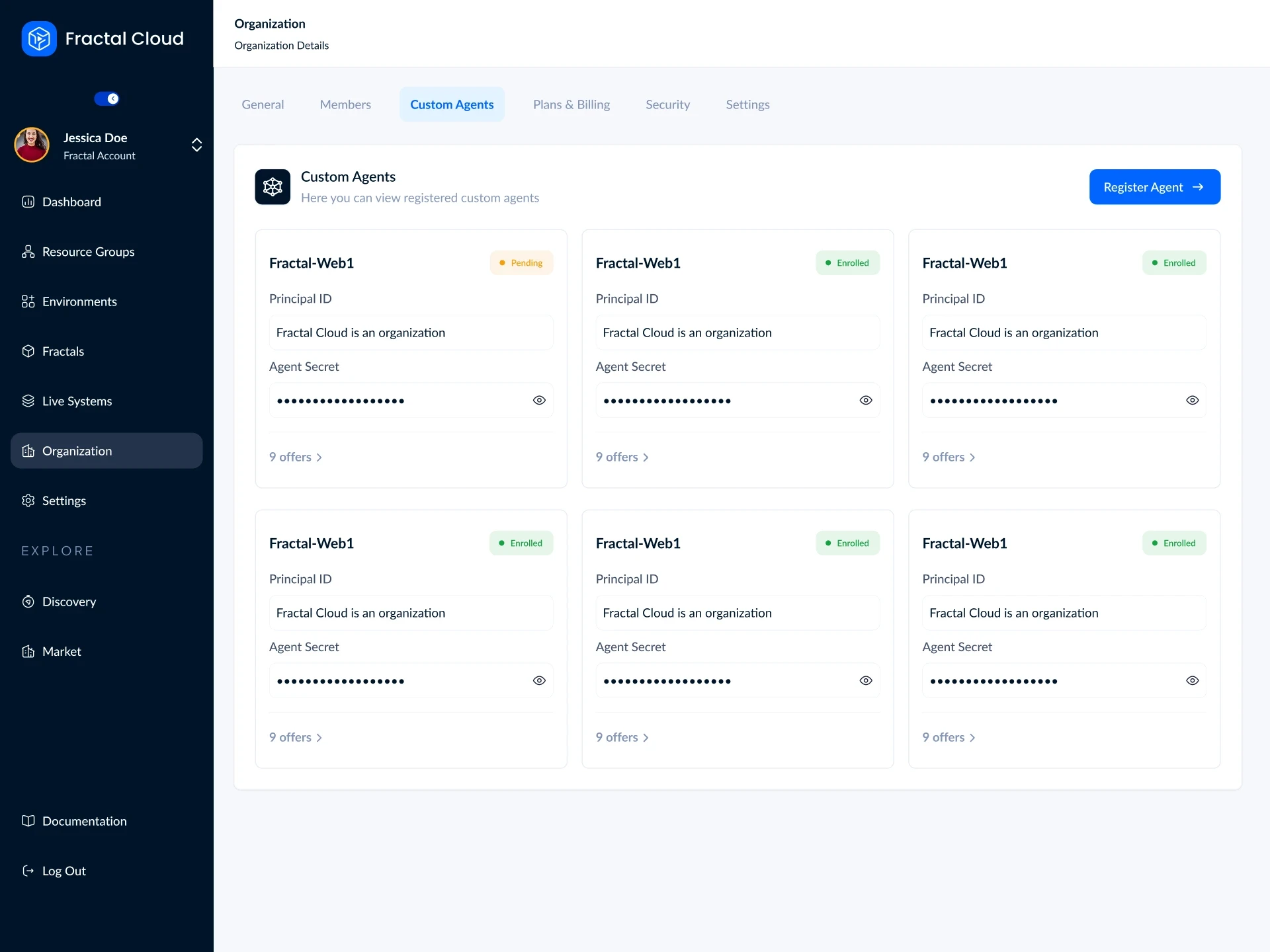
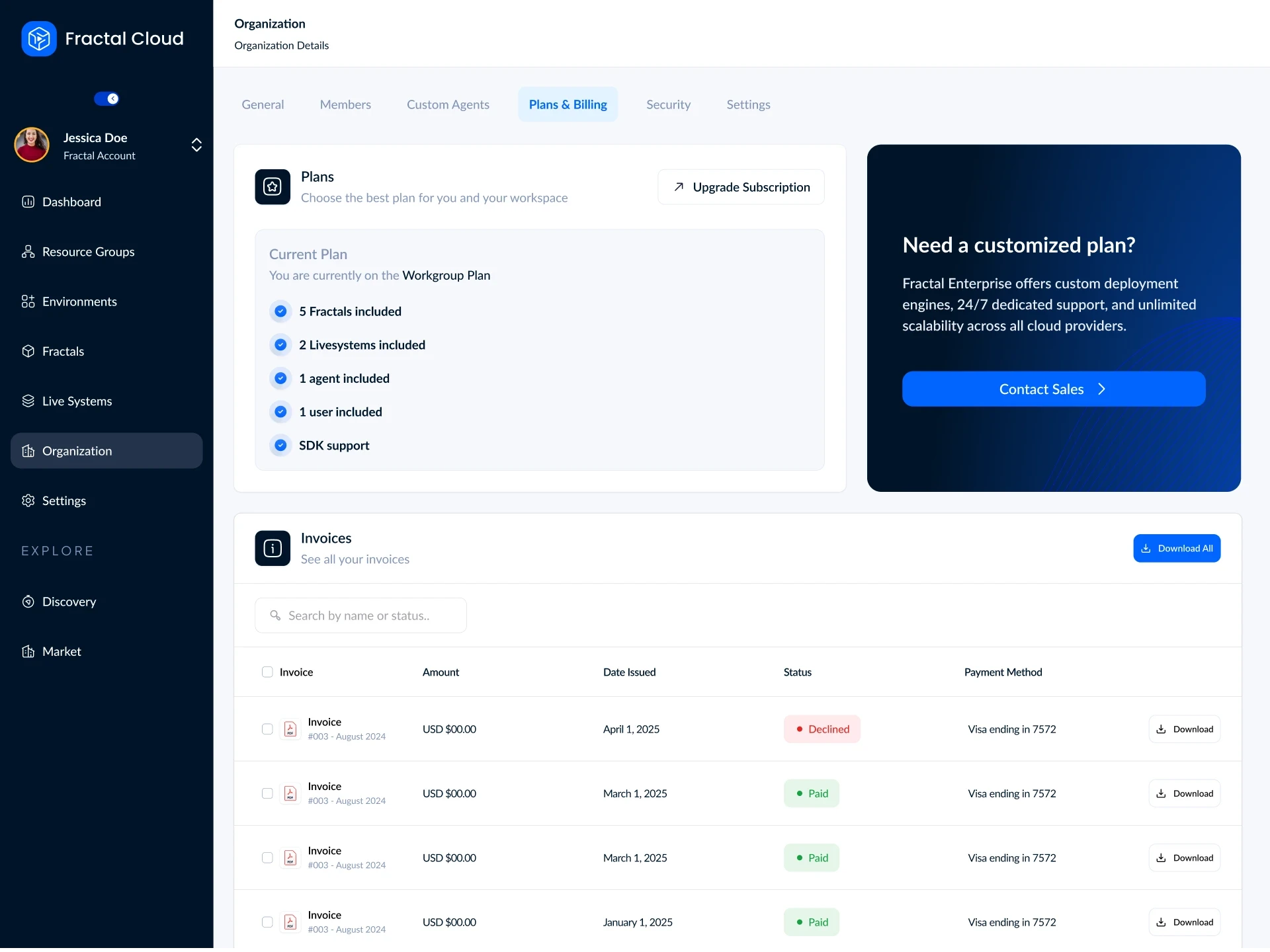
Organization
The admin control center. Admins see plan usage limits, registered custom agents and their enrollment status, billing, and security settings (like MFA enforcement and SSO) in one place.
The admin control center. Admins see plan usage limits, registered custom agents and their enrollment status, billing, and security settings (like MFA enforcement and SSO) in one place.
Public discovery
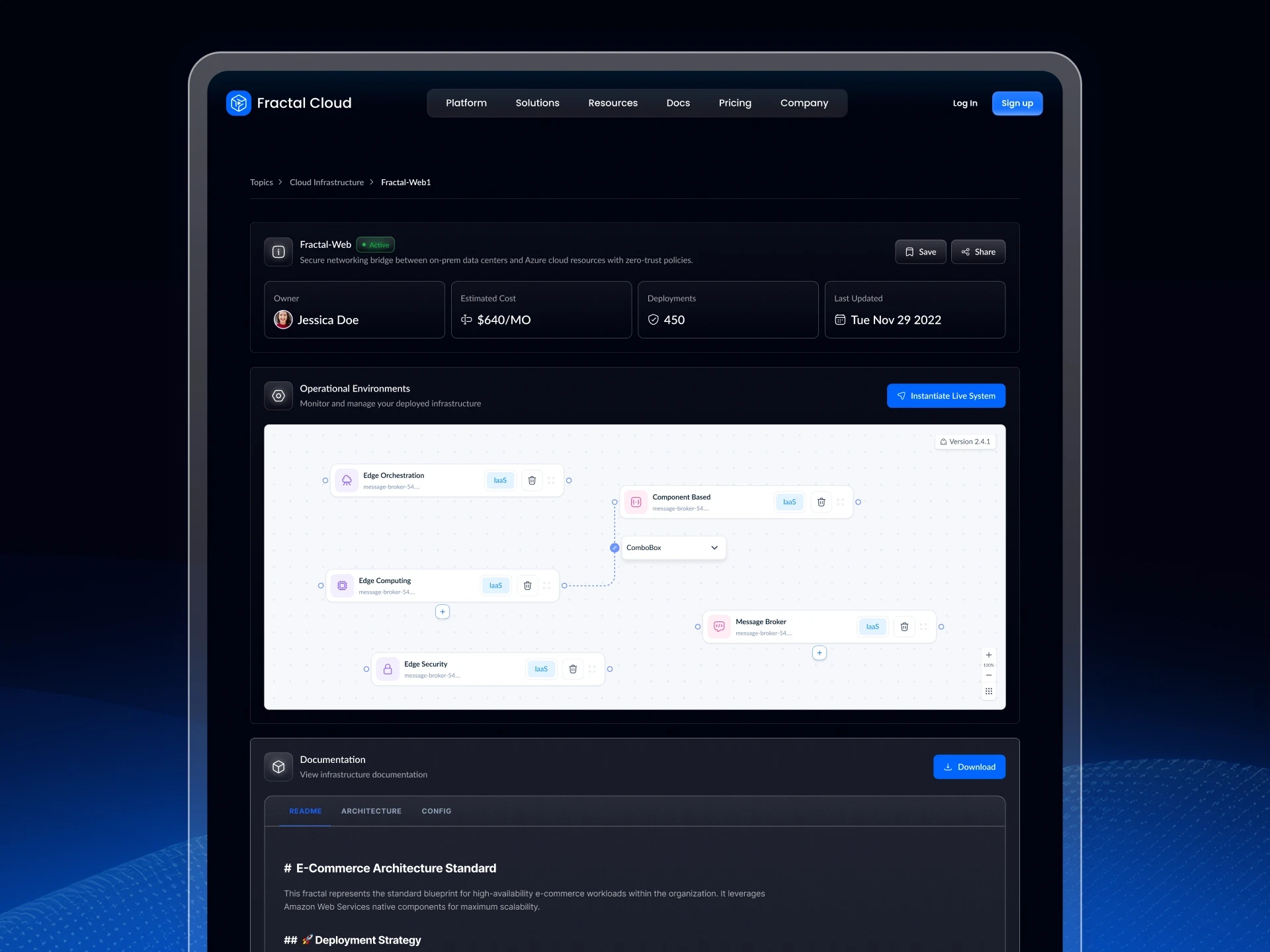
Fractals can be browsed publicly without an account. Visitors can explore the graph, see estimated monthly costs, check deployment numbers, and find a direct path to deploying it as a Live System.
Fractals can be browsed publicly without an account. Visitors can explore the graph, see estimated monthly costs, check deployment numbers, and find a direct path to deploying it as a Live System.



Outcome
Self-service without loosening control
Provisioning governed infrastructure no longer requires IaC fluency. The work moved from a central bottleneck to self-service without loosening control.
The platform was recognised as innovative by Accenture and VAR Group following EU accelerator funding.
Provisioning governed infrastructure no longer requires IaC fluency. The work moved from a central bottleneck to self-service without loosening control.
The platform was recognised as innovative by Accenture and VAR Group following EU accelerator funding.
Let's Connect
Feel free to contact me if having any questions. I’m available for new projects or just for chatting.
Let's Connect
Feel free to contact me if having any questions. I'm available for new projects or just for chatting.